

Shopify's Thank You Page Upgrade: Keep Your Conversion Tracking Running Past 26 August 2026
On 26 August 2026 Shopify auto-upgrades every non-Plus store's Thank you and Order status pages, and any tracking scripts pasted into the old additional scripts box stop for good. Here is the ten-minute check and the five-week plan to keep your tracking in place.
If your store has been trading more than a couple of years, you will be affected by Shopify's upcoming update to the Thank you and Order status page update that has been announced in their help documentation. In Shopify's own wording: "If you don't upgrade your pages again before August 26, 2026, then your Thank you and Order status pages will be auto-upgraded to the new pages."
The upgrade itself is a good thing, but the catch is code that you may lose. Any code that was ever pasted into the old additional scripts box, which for years was the standard place to put Google Ads conversion tags, Meta pixels, affiliate tracking and analytics snippets, is not supported on the new pages. When the auto-upgrade happens, those scripts stop running, and Shopify is explicit that once upgraded you cannot reactivate them.
Your checkout keeps working and orders keep coming in. What quietly breaks is your measurement: ads that can no longer see which clicks became sales, affiliate partners no longer credited, analytics goals that stop counting. For a store that spends on Google or Meta ads, that is the data those platforms use to decide who sees your adverts, so the damage compounds.
The good news is that the fix is free, and for many stores the answer after a ten-minute check will be that there is nothing to do at all.
Who does this affect?
This deadline applies to stores on the standard Shopify plans: Basic, Shopify and Advanced. If you are on Shopify Plus, your equivalent change happened back in August 2025, and if your store was built in the last couple of years it may have started life on the new pages already.
It is worth being precise here, because a lot of coverage online muddles three separate Shopify changes into one alarming story. The Plus checkout changes happened in 2025. Shopify Scripts, a Plus-only feature for custom discount logic, retired at the end of June 2026. This deadline, 26 August 2026, is the one that touches ordinary stores, and it affects only the Thank you and Order status pages, not your checkout itself. The next date after this one is 1 March 2027, when storefront script tags stop running, which is a separate change again.
How do you check if your store is affected?
Ten minutes, no developer needed.
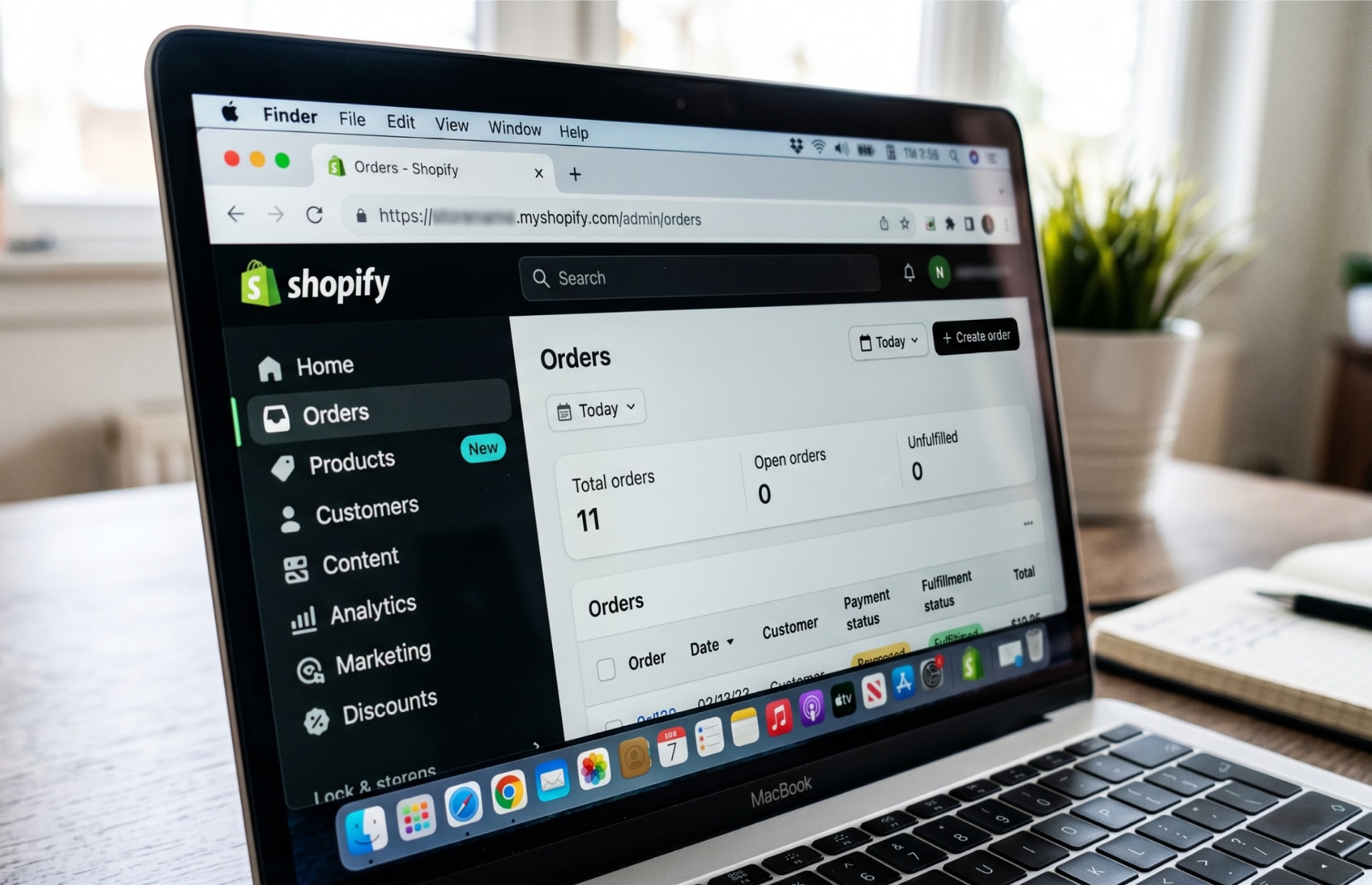
- In your Shopify admin, go to Settings, then Checkout. In the Configurations section you will see a prompt reading "Upgrade Thank you and Order status pages by August 26, 2026" if the upgrade is still outstanding.
- Select Review customizations. Shopify generates a personalised report of everything on your current pages, including a section listing any Additional scripts it found.
- Read the list. This is every piece of pasted code the upgrade will leave behind.
If the Additional scripts section is empty, breathe out. Your tracking almost certainly already runs through apps, which carry across to the new pages by design, and you can simply complete the upgrade at a quiet moment before the deadline rather than letting the automatic switch choose the date for you.
If there is code in the box, the next section is for you. The box has been view-only since August 2025, so whatever is in there was set up a while ago, quite possibly by someone who no longer works with you, which is exactly why it gets forgotten.
Our own experience matches that pattern. The stores we have built recently started life on the new pages and have nothing to do here, while the place we find forgotten scripts is almost always an established store whose tracking was set up years ago and has quietly passed between owners, marketers and agencies since.
Where does each tag go now?
Everything that lived in additional scripts has an official home on the new pages, and in most cases it is an app rather than pasted code.
| What you had | Where it goes now |
|---|---|
| Google Ads conversion tag or GA4 tag | The Google & YouTube app, connected to your Google Ads account and GA4 property |
| Meta (Facebook) pixel | The Facebook & Instagram app |
| Affiliate network code | The network's own Shopify app, where one exists |
| Anything bespoke | A custom pixel in Settings, then Customer events |
Shopify's documentation recommends the Google & YouTube app for Google tags for a straightforward reason: it is maintained by Google. The same page notes that Google does not recommend, and cannot support, running Google Tag Manager as a custom pixel on the new pages, so if your setup came via GTM this is the moment to move to the app rather than recreate the old arrangement.
For anything truly custom, Shopify provides customer events, which let a developer subscribe a small piece of code to the moment an order completes, with the order number, value and currency available to pass along. That is the fallback, not the first resort. Check for an official app before commissioning custom work.
What order should you do it in?
Sequencing matters more than speed here, because the pages allow an overlap where both the old script and the new app fire at once, and that produces duplicate conversions in your ad platforms. Inflated numbers are their own kind of broken.
- Install and connect the relevant app for each tag in your report.
- Place a real test order and confirm the conversion appears once, in Google Ads, Meta or wherever it should land.
- Then deactivate the old script as part of completing the upgrade.
- Check your numbers for a few days. Conversions recorded per platform should carry on at their usual rate, not double, not vanish.
Doing it in this order means there is never a gap in your measurement and never a period of double counting.
The two details that catch people out
Both of these come straight from Shopify's own documentation, and almost nobody covering this deadline mentions either.
The Thank you page address changes. On the old pages the address ended in thank_you, with an underscore. On the new pages it ends in thank-you, with a hyphen. That one-character change silently breaks any Google Analytics goal, funnel or report that matches the page address. If your analytics counts enquiries or purchases by page path, update it to match the new address, or better, base it on the purchase event rather than the page.
Post-purchase upsells move the finish line. If your store shows an upsell offer after payment, the purchase event fires on that first offer page rather than on the Thank you page itself. Worth knowing before you conclude your new tracking is broken when it is simply reporting from a different page.
What happens if you do nothing?
On 26 August your pages switch to the new versions whether you have prepared or not. The store keeps trading and customers notice nothing. But every script in the old box stops that day, permanently, and nothing tells you it has happened. Google Ads reports conversions falling off a cliff, and the usual first instinct is to blame the ads or the season rather than the tracking, which means stores can spend weeks optimising campaigns against numbers that are simply missing.
There is a second-order cost too. Google and Meta use conversion data to decide who sees your adverts, so while yours is missing, their systems learn from silence. Even after tracking is restored, campaigns can take time to find their feet again. That is why the sensible move is doing this on your own schedule in the weeks before the update rather than discovering it mid-autumn.
If your store is managed by an agency or a freelancer, this is also a one-line email worth sending today: "Are we affected by the 26 August Thank you page upgrade, and who is handling it?" A good partner will have an answer within the day.
A sensible five-week plan
There is no need for a scramble. Working back from 26 August:
- This week: run the ten-minute check. If the scripts box is empty, schedule the upgrade for a quiet trading day and you are done.
- Weeks one and two: install the replacement apps and connect the accounts. This is mostly logging in and granting permissions.
- Week three: test orders, confirm each conversion lands once, deactivate the old scripts, complete the upgrade.
- Weeks four and five: margin. If something surprises you, there is room to fix it calmly rather than against the clock, and comfortably before the autumn trading build-up begins.
Not sure what is in your report?
If your customisations report lists scripts nobody in the business recognises, or your tracking setup has passed through several hands over the years, this is a small job for someone who does it often. We work with Shopify stores every week, from builds and migrations to ongoing support, and untangling a tracking setup is a familiar task. Get in touch and we will tell you plainly whether you need help or whether your report is nothing to worry about.
Related Posts
Get in touch - we're happy to chat.